0.96" OLED Display Module 128×64 – Yellow I2C | Createc 3D

0.96" OLED Display Module 128×64 – Yellow I2C | Createc 3D

€3.50 Tax included

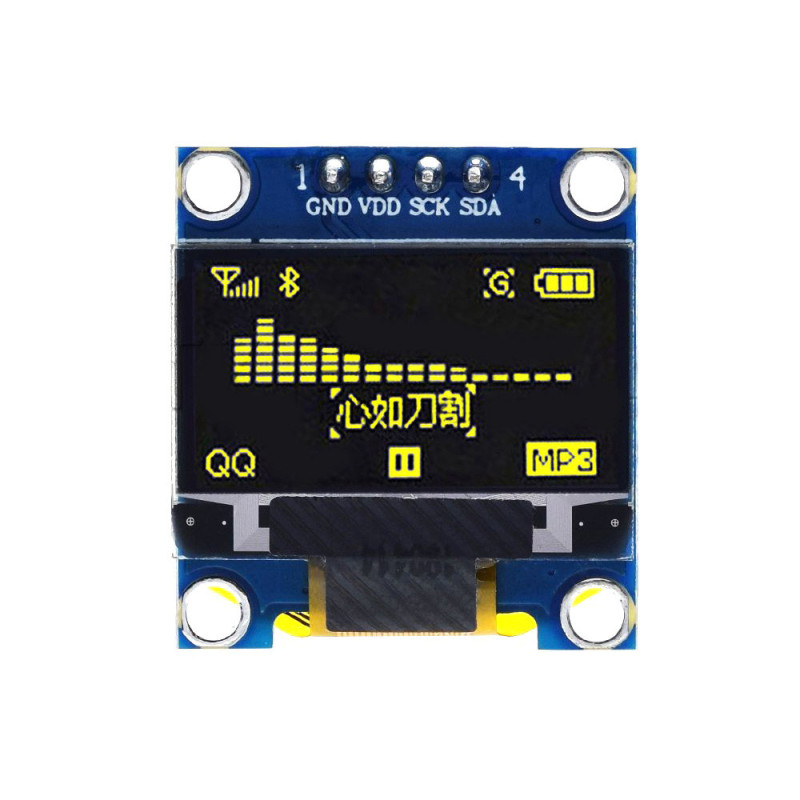
0.96 INCH OLED DISPLAY MODULE 128×64

Te quedan 120€ para el envío gratis


24h Delivery


FREE for orders over 120€


Secure payment

Usually joint purchase
0.96" OLED Display Module 128×64 – Yellow I2C | Createc 3D
€3.50
0.96" OLED Display Module 128×64 – Yellow I2C | Createc 3D

Información del producto

FEATURES – 0.96 INCH OLED DISPLAY MODULE 128×64 (YELLOW)

  • Type: 0.96” OLED Display Module (Yellow)
  • Resolution: 128 × 64 pixels
  • Operating Voltage: 3.3V to 5V (DC)
  • Power Consumption: Only 0.04W – ultra-low energy usage
  • Interface: I2C – SCL (SCK) & SDA
  • Connection: Requires soldering to header pins or directly to wires
  • Working Temperature: -25℃ to 85℃
  • Humidity Range: 5% ~ 95% RH
  • Dimensions: Compact and lightweight – fits most enclosures

WHAT DOES IT DO?

This compact 0.96-inch OLED display is ideal for visual feedback in Arduino and microcontroller projects. It can show text, sensor data, system status, icons, and even simple graphics. Thanks to OLED technology, it offers high contrast and sharp visibility, even in low light, with almost no power consumption.

COMMON USE CASES:

  • ✅ Display sensor values (e.g., temperature, humidity, gas levels)
  • ✅ Show menu options in DIY electronic devices
  • ✅ Create real-time dashboards for robots or IoT projects
  • ✅ Battery level indicators or custom UIs in wearable devices

HOW TO USE IT (WITH ARDUINO):

  1. Soldering: First, solder header pins to the module (if not pre-installed). Connect the four I2C lines: VCC, GND, SCL (SCK), and SDA.
  2. Wiring: Connect to Arduino:
    • GND → Arduino GND
    • VDD → Arduino 5V or 3.3V
    • SCL → Arduino A5 (Uno) or dedicated SCL pin
    • SDA → Arduino A4 (Uno) or dedicated SDA pin
  3. Library: Use the Adafruit_SSD1306 and Adafruit_GFX libraries available in Arduino IDE Library Manager.
  4. Code: Load example sketches to test text or graphic output.

💡 Expert Tip:

This screen uses I2C protocol. If your project needs more than one I2C device, make sure they have different I2C addresses or use an I2C multiplexer (like the TCA9548A).

COMMON QUESTIONS (FAQ):

  • Q: Is it plug-and-play?
    ❌ No, it requires basic soldering and coding to work with Arduino.
  • Q: Can I use it with Raspberry Pi?
    ✅ Yes, just connect it to the I2C pins and install the correct libraries (e.g., Luma.OLED in Python).
  • Q: It powers on but nothing displays. Why?
    ⚠️ Check the wiring, contrast settings in code, and ensure you’re using the correct I2C address (usually 0x3C).
  • Q: Can it display images?
    ✅ Yes! You can display monochrome bitmaps using Adafruit_GFX functions.
OLED096-Y-I2C
3 Items
Información adicional